
Image translator
Image translator that keeps the design
Upload a menu, sign, screenshot or poster, pick a language, and get the same image back with every word translated in place. Up to 10 images at once.
Examples are real runs on AI-generated images. Independent service, not affiliated with Google or OpenAI.
Output
Model
Size
Fast and low cost; strong on menus, signs and screenshots.
Your free credits cover one translated 1K image with its text panel (27 credits).



Before and after
Real translations from this tool
Unretouched outputs on AI-generated sample images. Drag each slider to compare; the exact instruction is listed underneath.
 OriginalTranslated
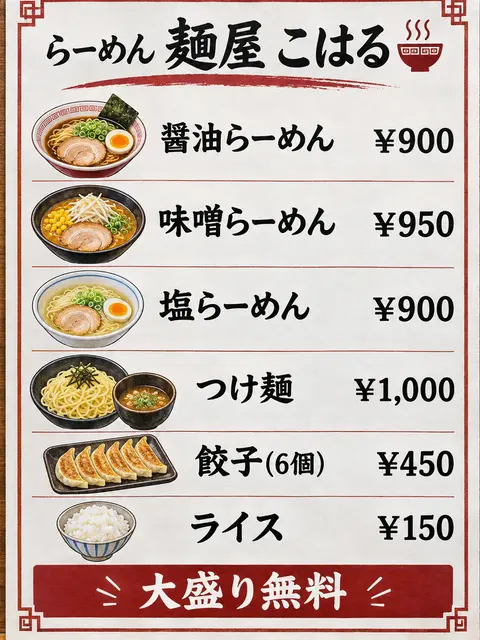
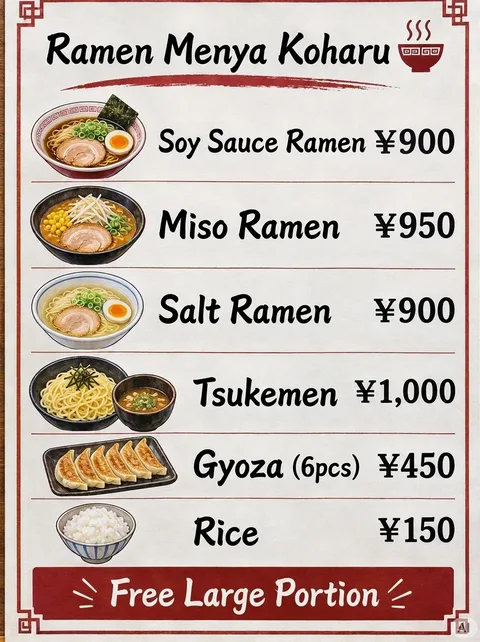
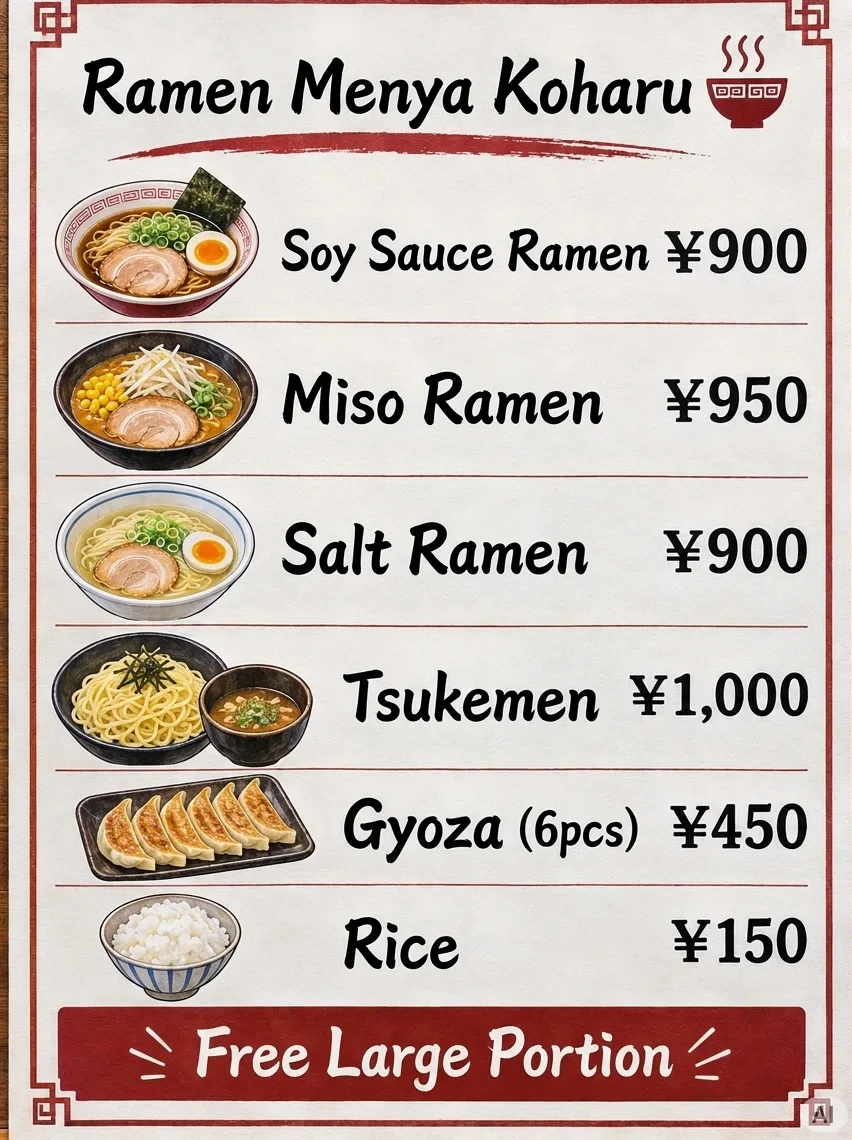
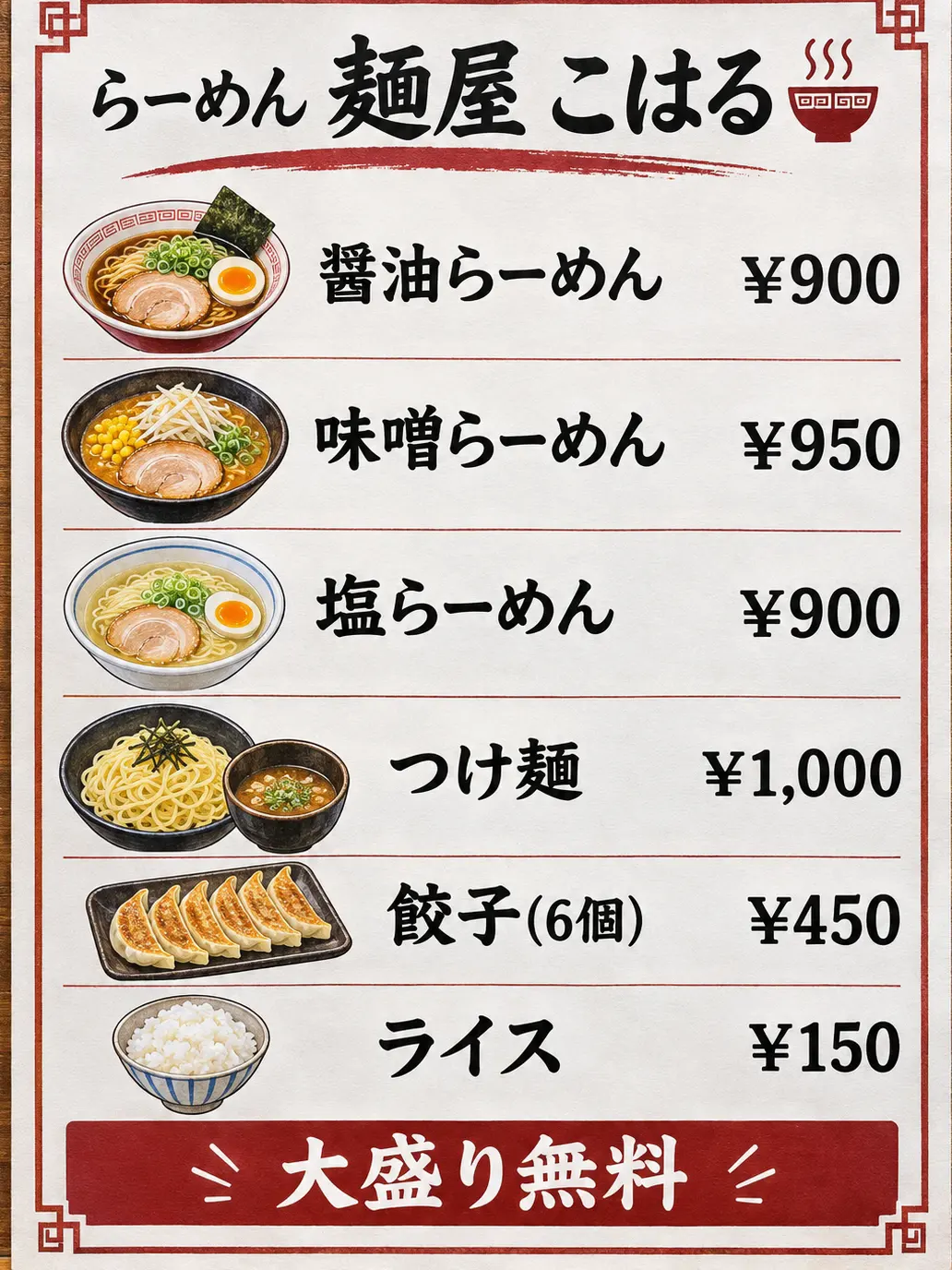
A Japanese ramen menu with prices, translated into English with the same layout and bowls
Instruction
Translate every piece of text that is not already in English in this image into English. Keep the exact same layout, font style, size, colour, positions and background; change only the words. Keep the picture, people, objects, logos and numbers as they are, at the same size and position. Do not crop, zoom, add borders, captions or watermarks.
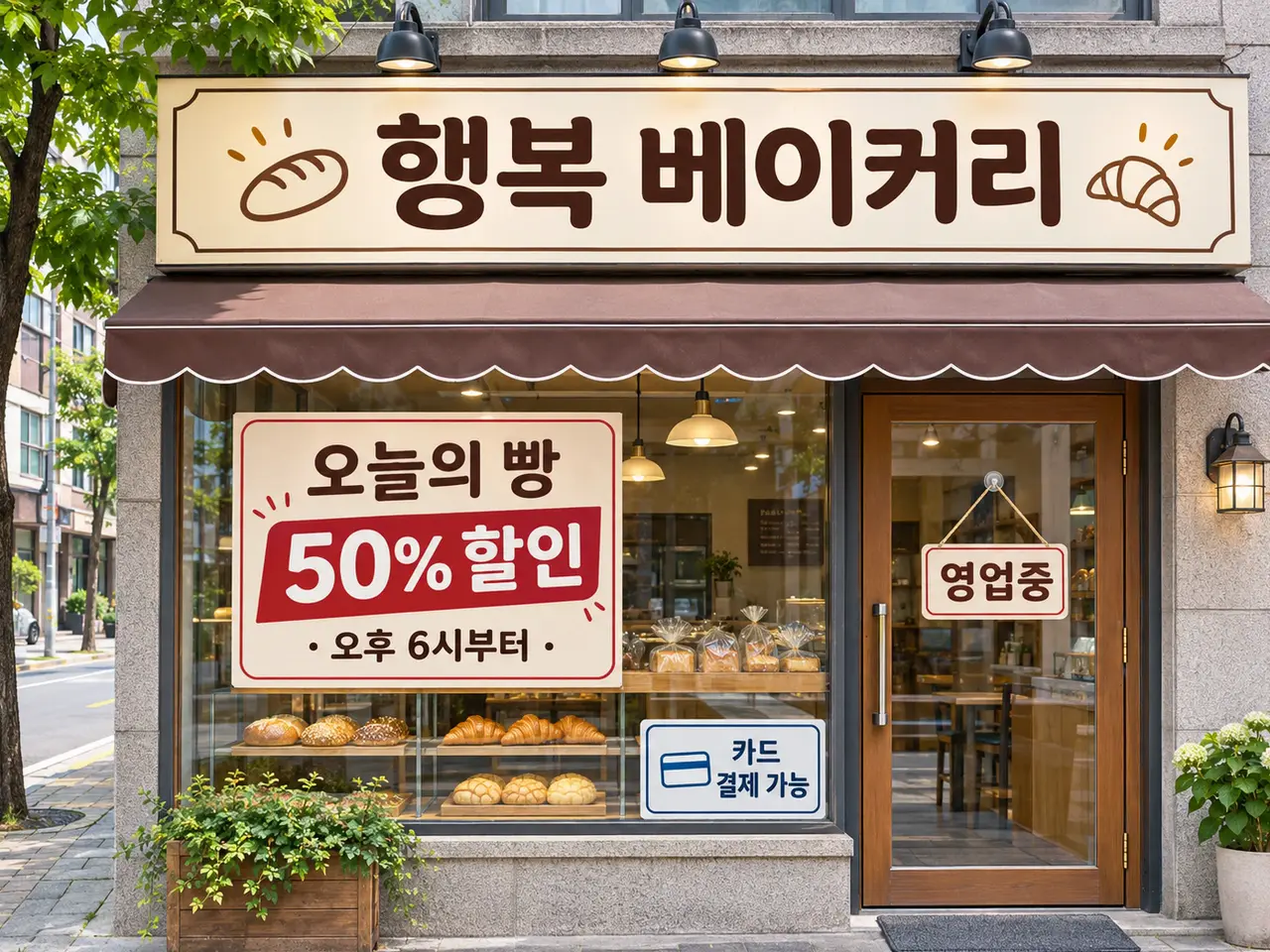 OriginalTranslated
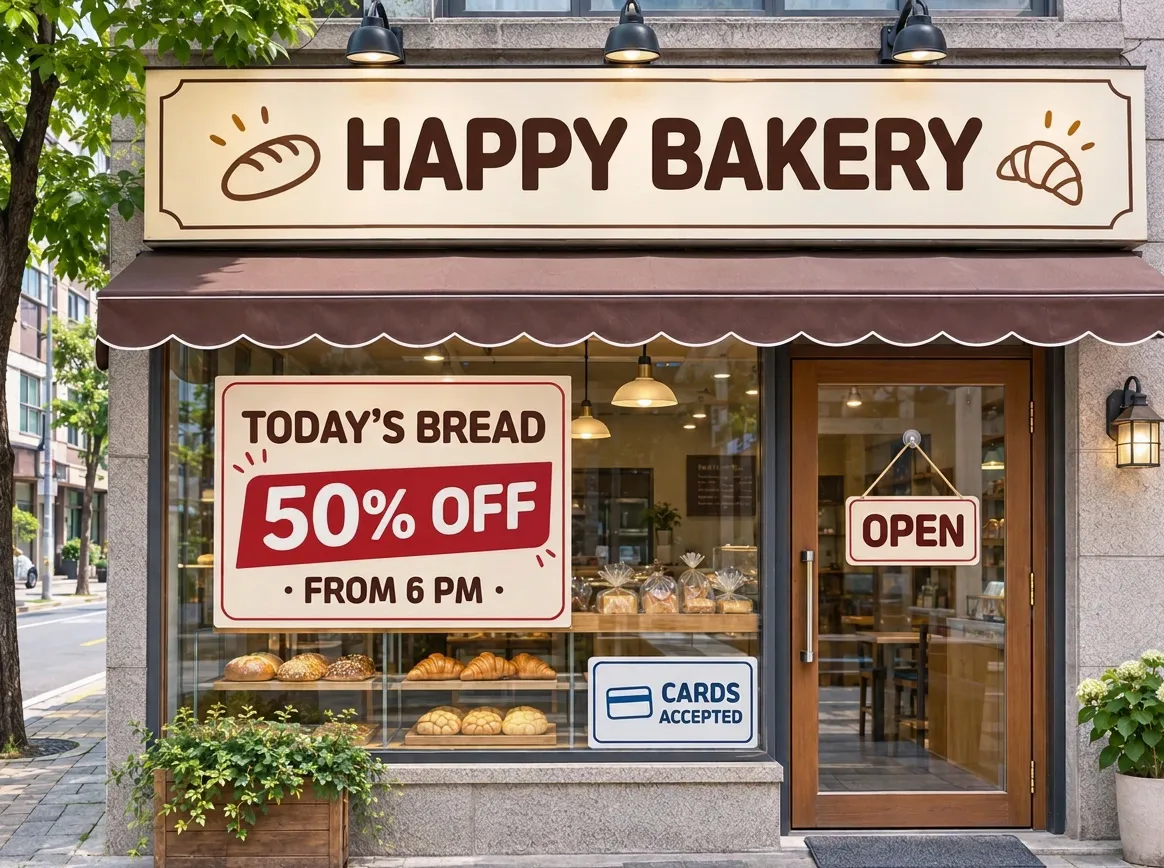
A Korean bakery shopfront with several signs, all translated into English in place
Instruction
Translate every piece of text that is not already in English in this image into English. Keep the exact same layout, font style, size, colour, positions and background; change only the words. Keep the picture, people, objects, logos and numbers as they are, at the same size and position. Do not crop, zoom, add borders, captions or watermarks.
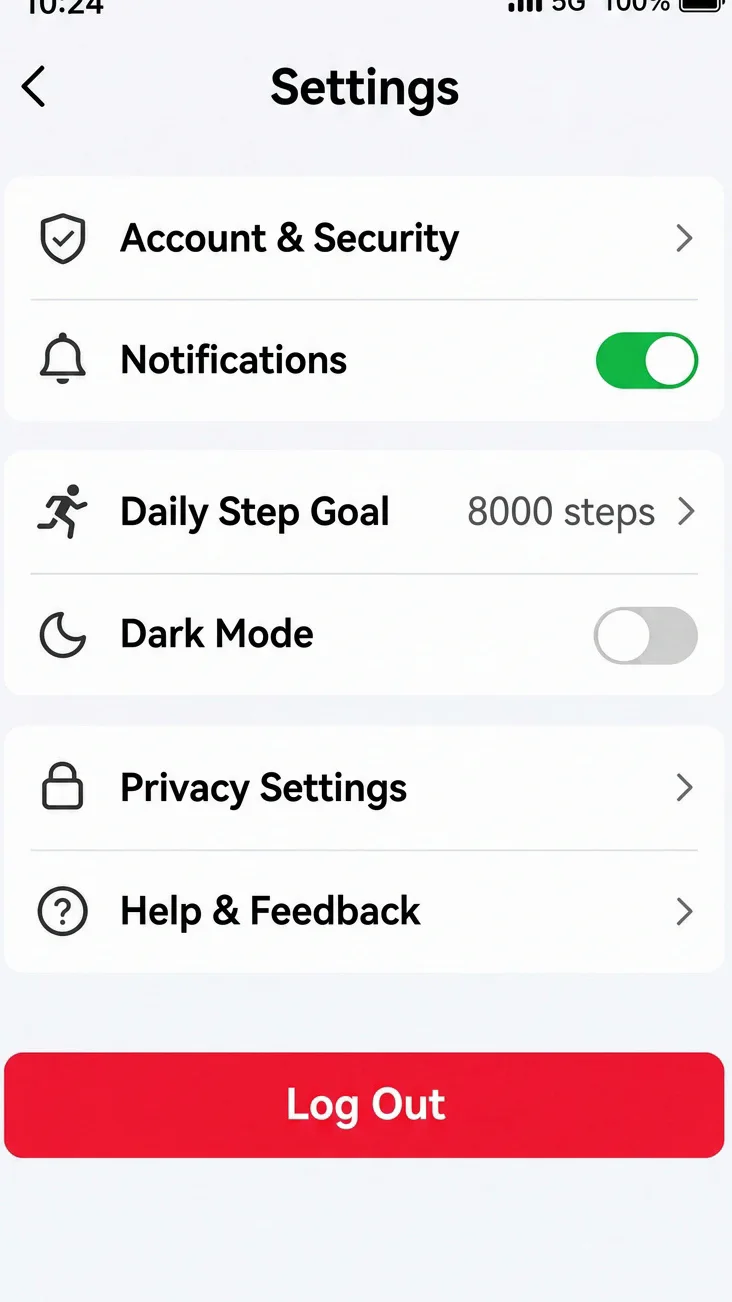
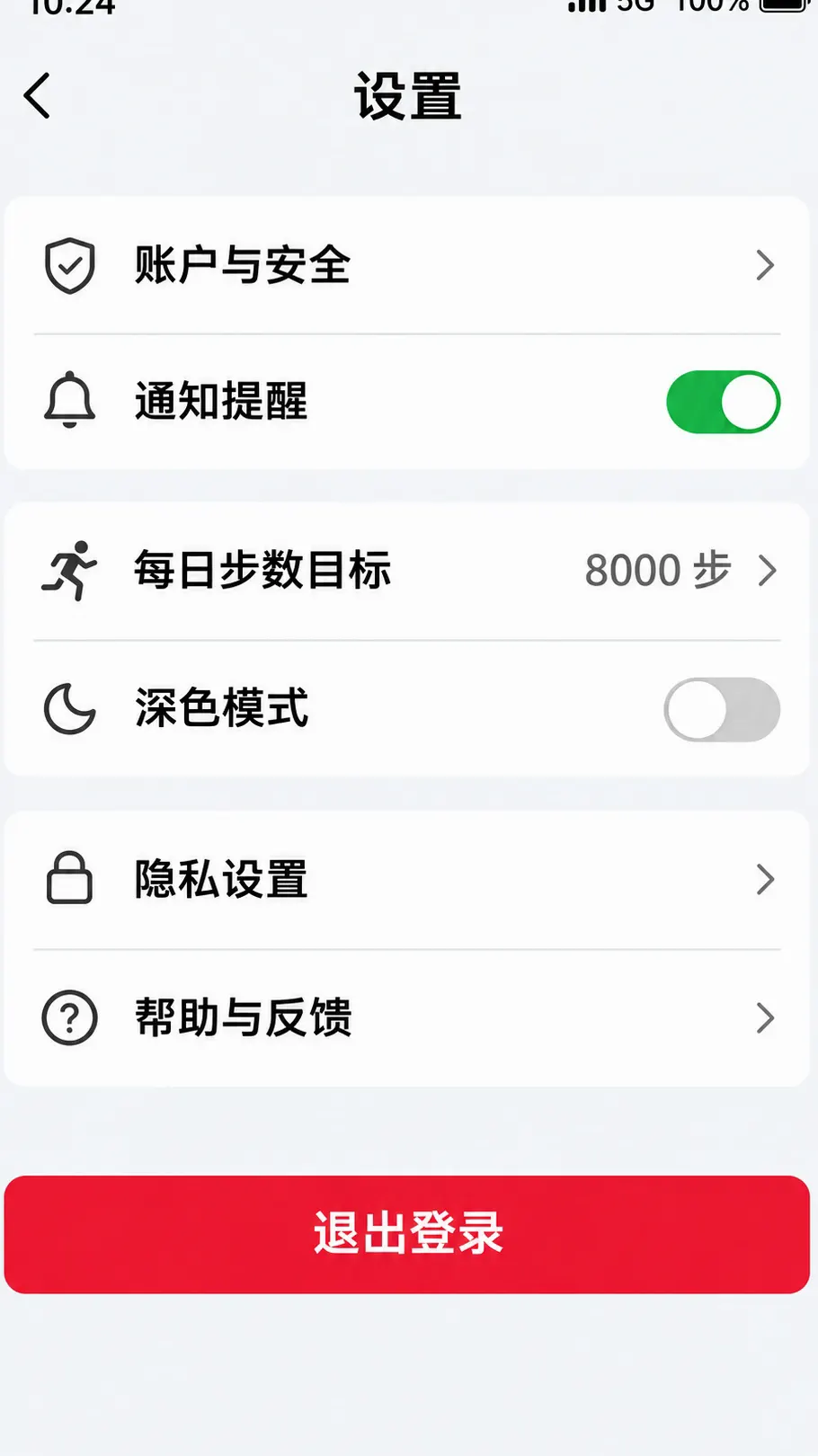 OriginalTranslated
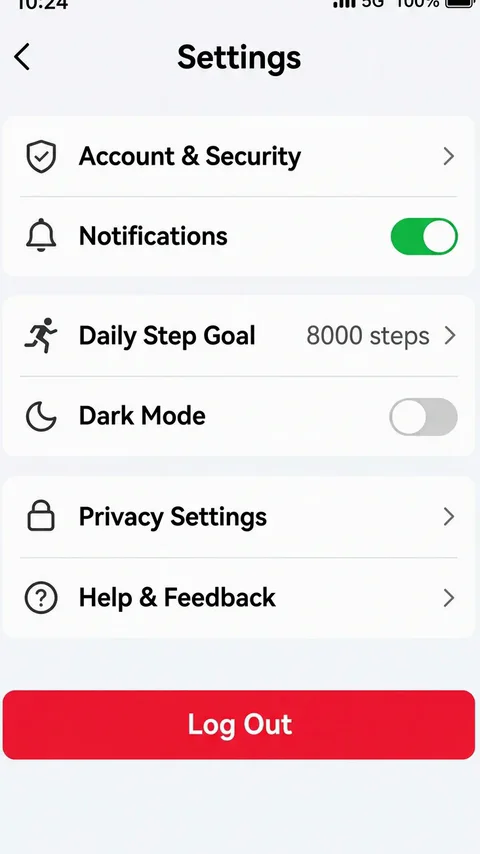
A Chinese app settings screenshot translated into English, toggles and layout unchanged
Instruction
Translate every piece of text that is not already in English in this image into English. Keep the exact same layout, font style, size, colour, positions and background; change only the words. Keep the picture, people, objects, logos and numbers as they are, at the same size and position. Do not crop, zoom, add borders, captions or watermarks.
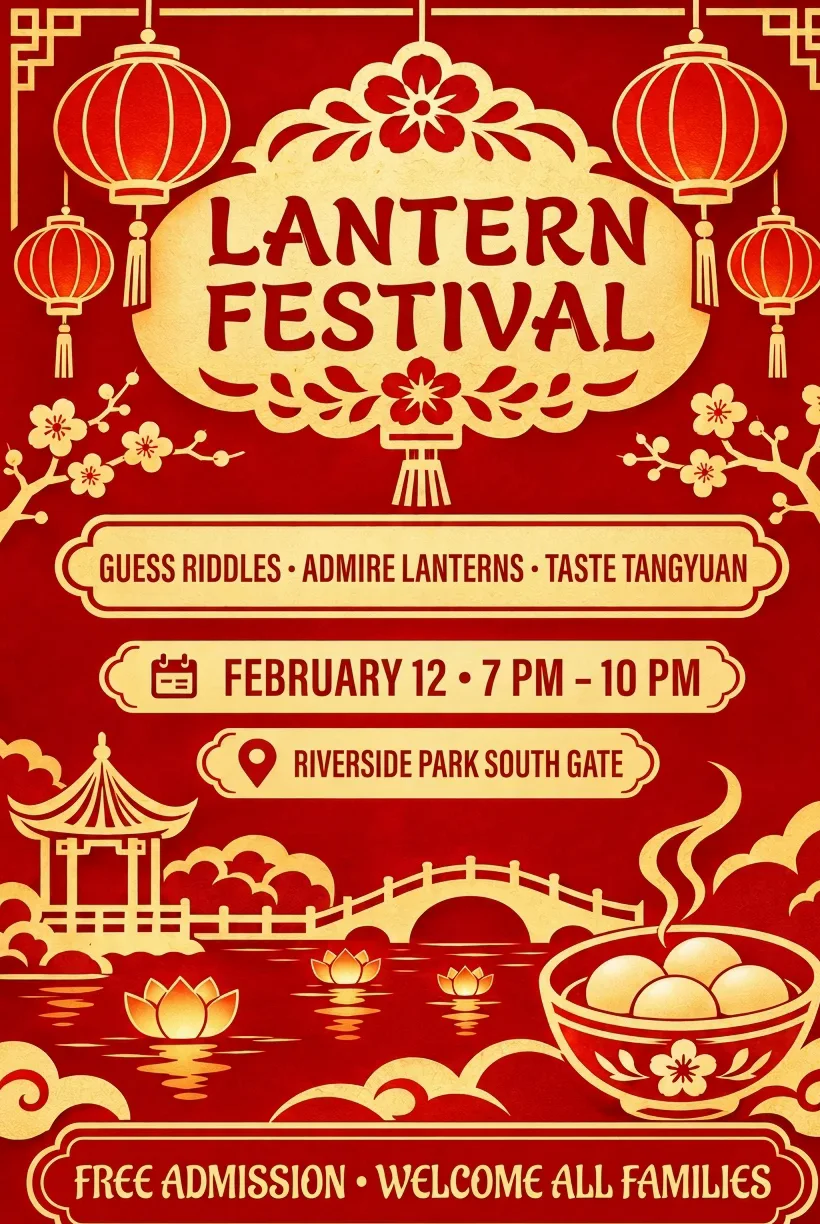
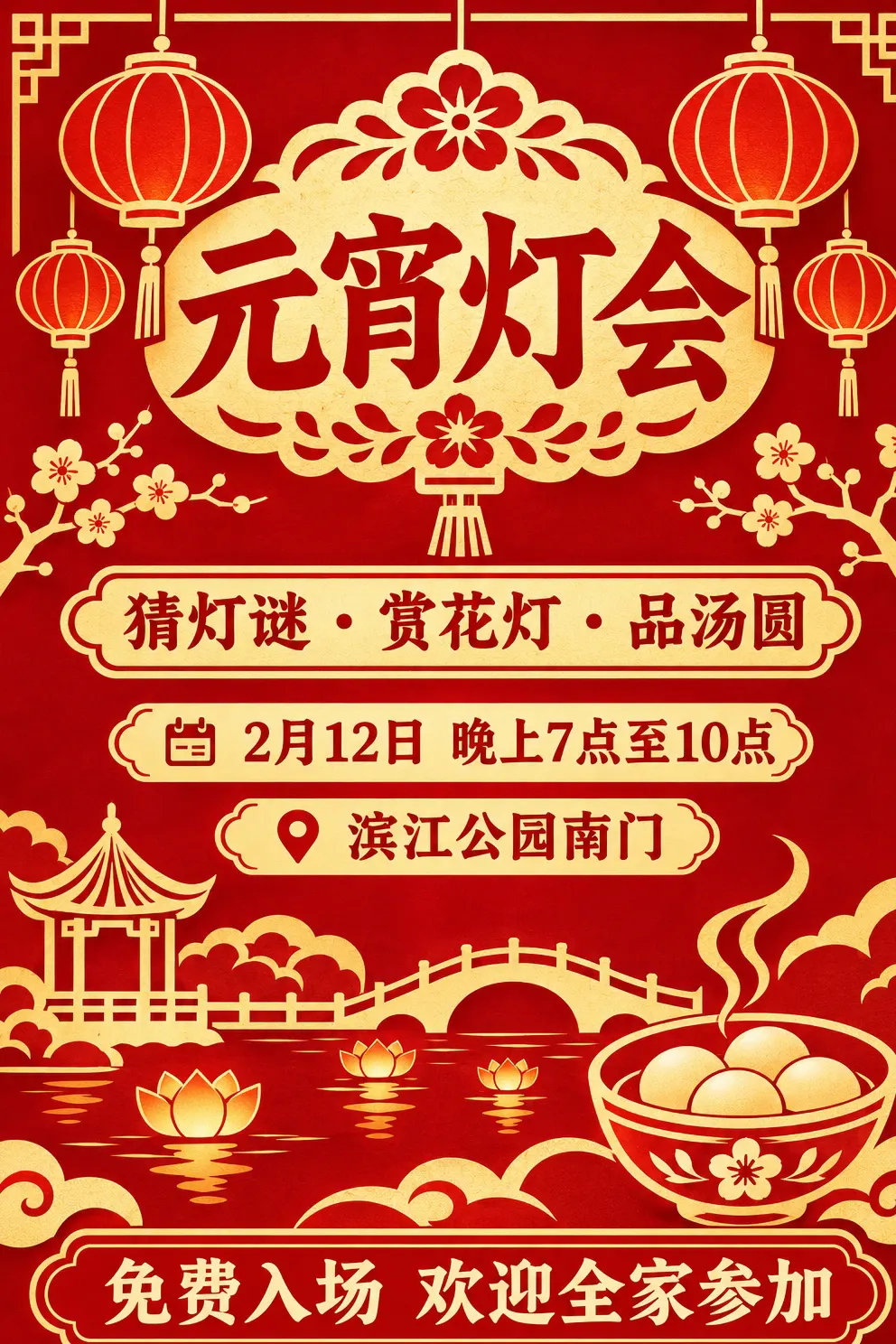 OriginalTranslated
A red and gold Chinese lantern festival poster translated into English
Instruction
Translate every piece of text that is not already in English in this image into English. Keep the exact same layout, font style, size, colour, positions and background; change only the words. Keep the picture, people, objects, logos and numbers as they are, at the same size and position. Do not crop, zoom, add borders, captions or watermarks.
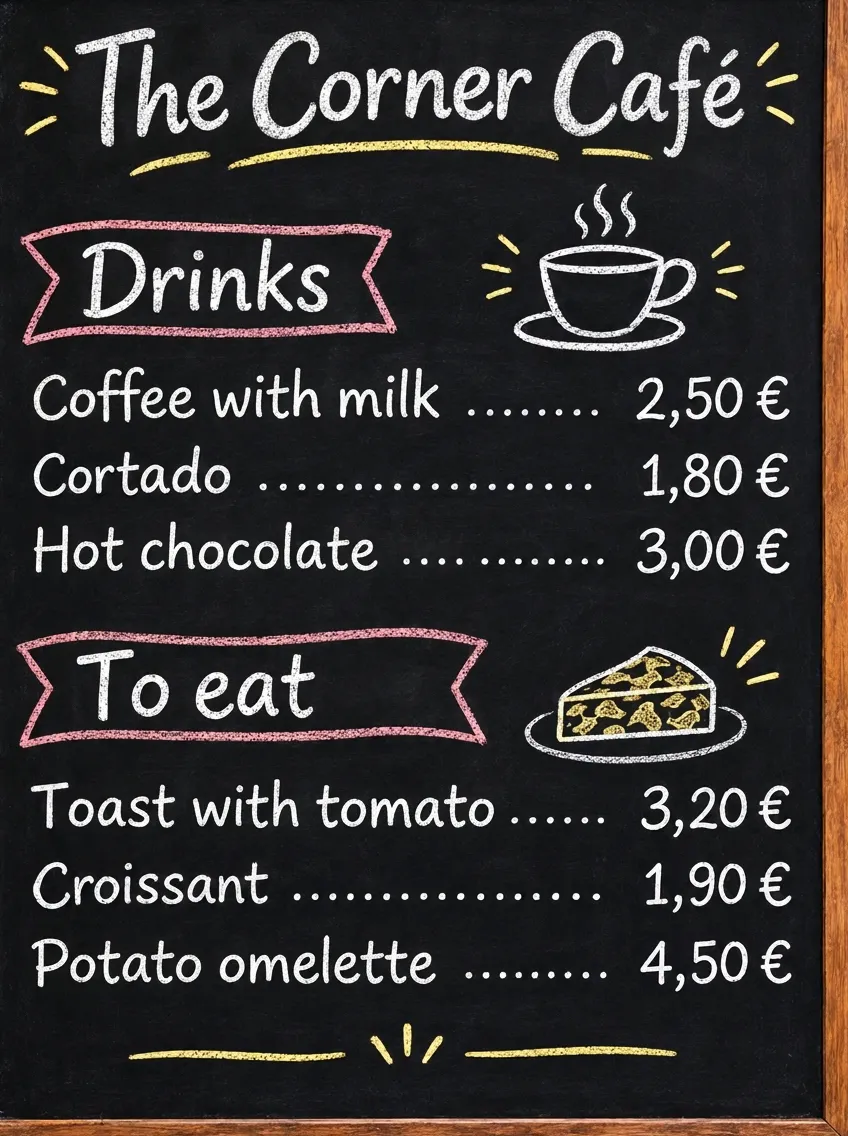
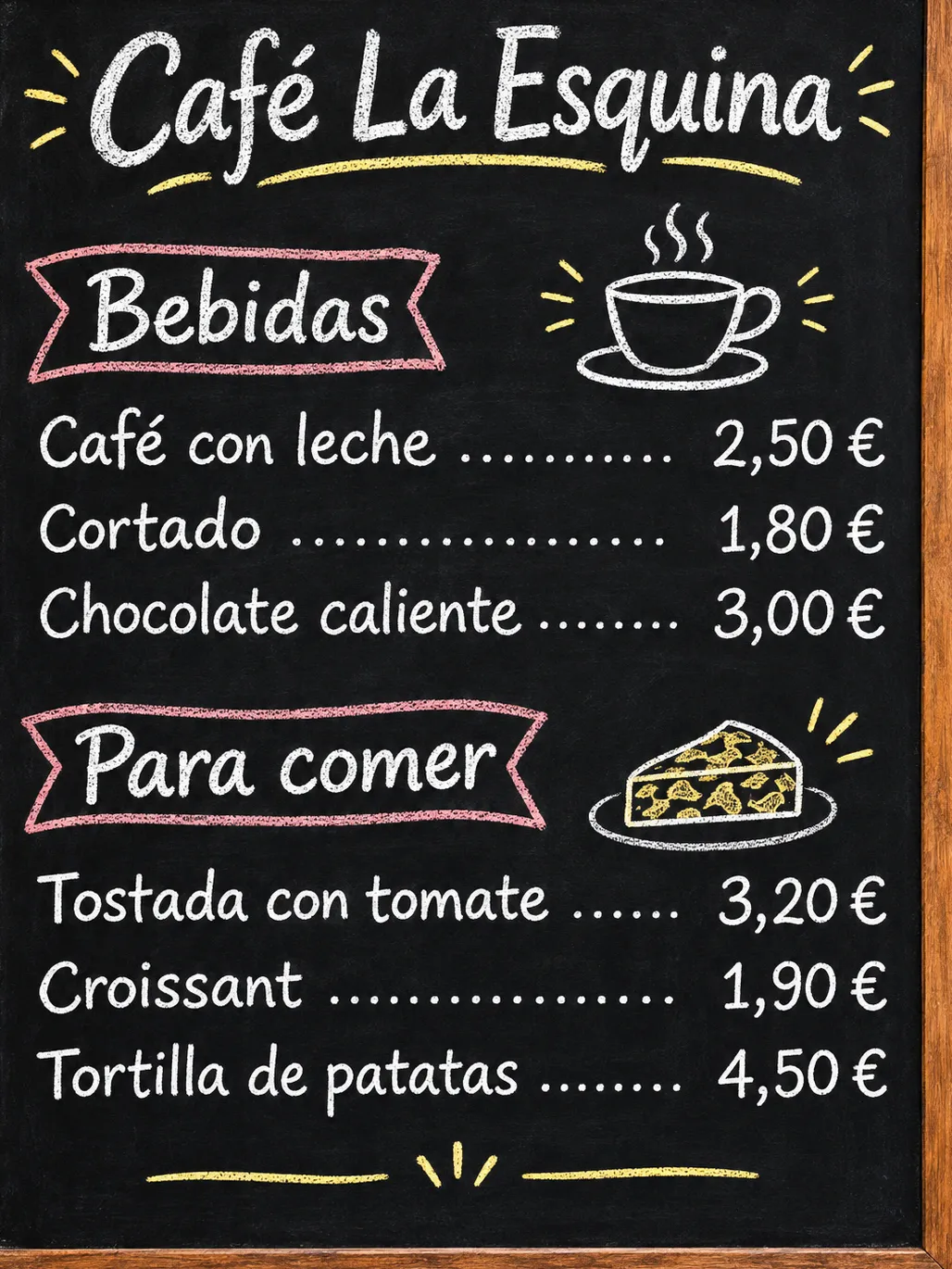 OriginalTranslated
A Spanish chalkboard café menu translated into English chalk lettering
Instruction
Translate every piece of text that is not already in English in this image into English. Keep the exact same layout, font style, size, colour, positions and background; change only the words. Keep the picture, people, objects, logos and numbers as they are, at the same size and position. Do not crop, zoom, add borders, captions or watermarks.
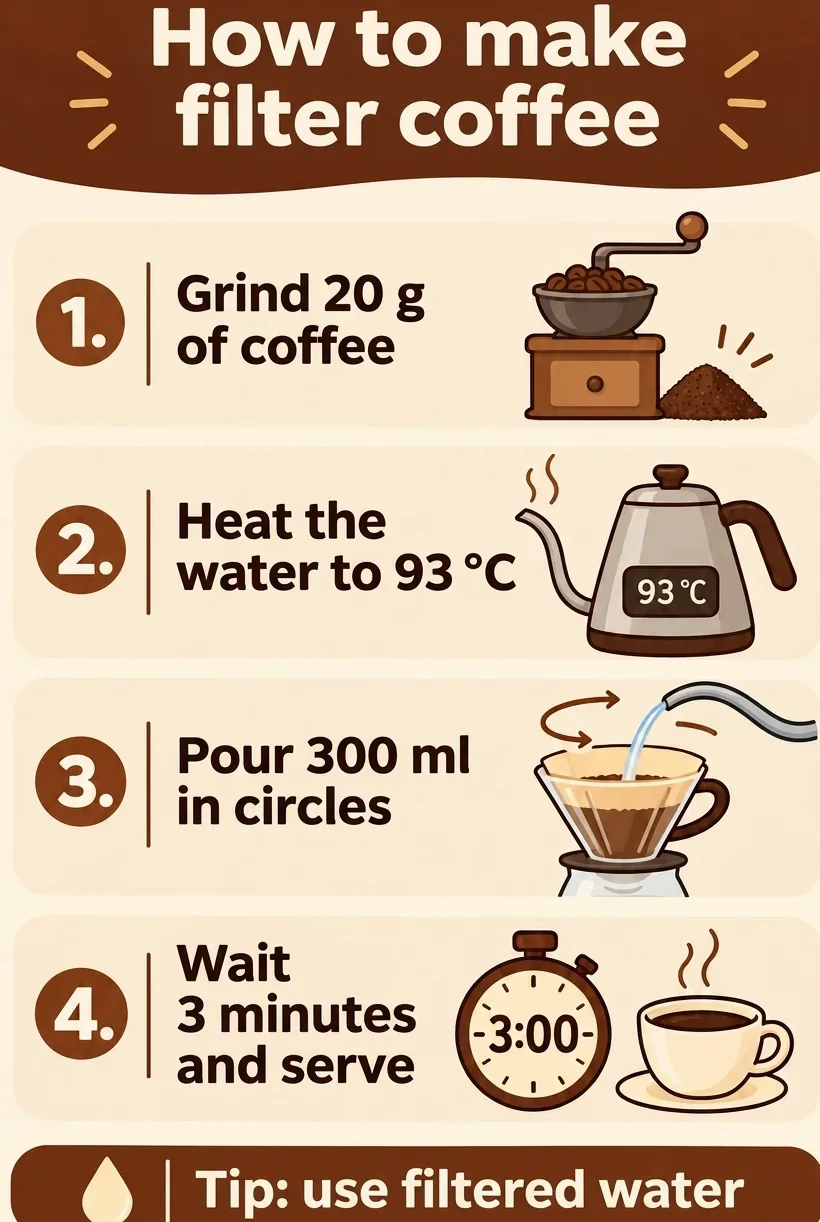
 OriginalTranslated
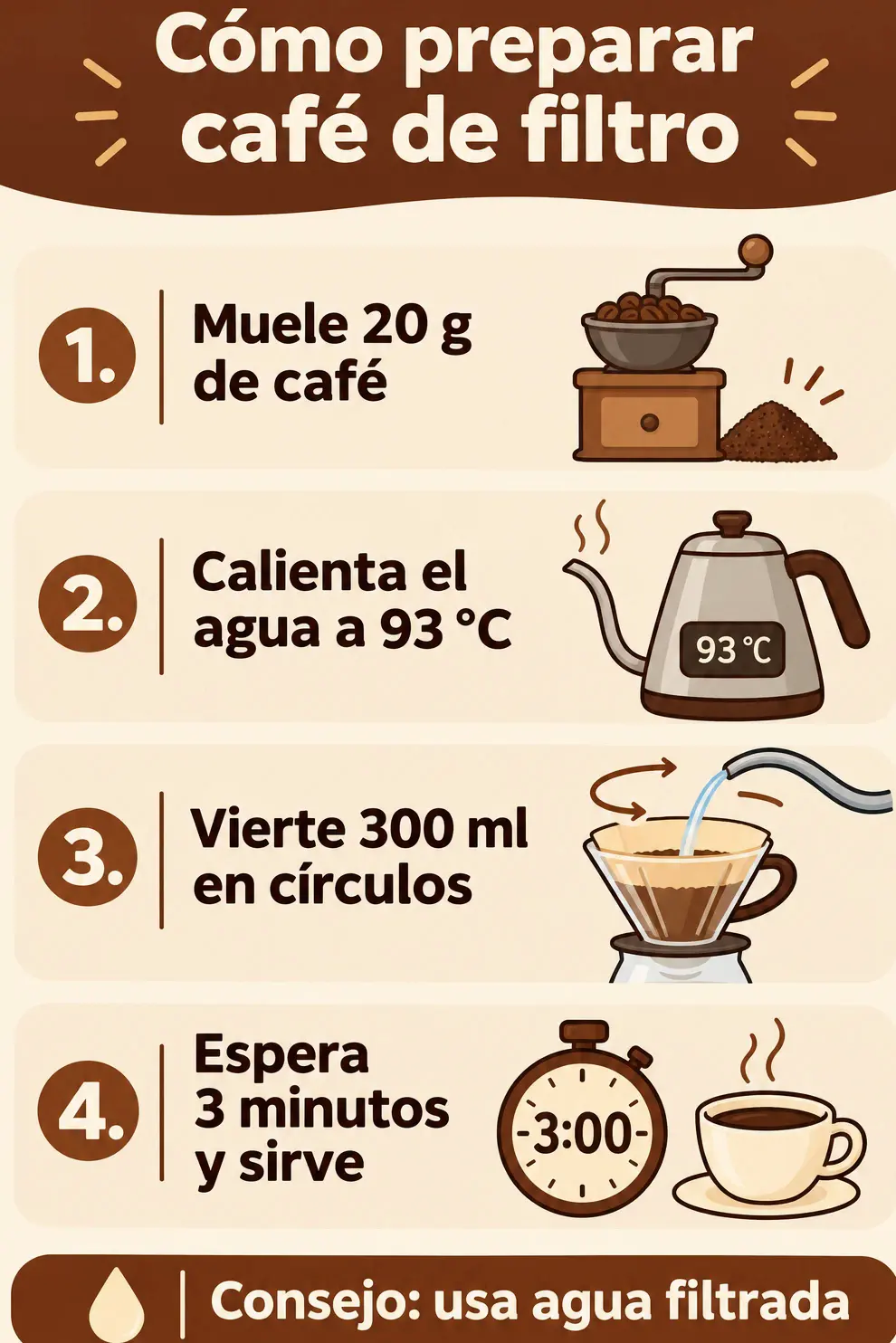
A Spanish four-step coffee infographic translated into English with the same icons
Instruction
Translate every piece of text that is not already in English in this image into English. Keep the exact same layout, font style, size, colour, positions and background; change only the words. Keep the picture, people, objects, logos and numbers as they are, at the same size and position. Do not crop, zoom, add borders, captions or watermarks.
 OriginalTranslated
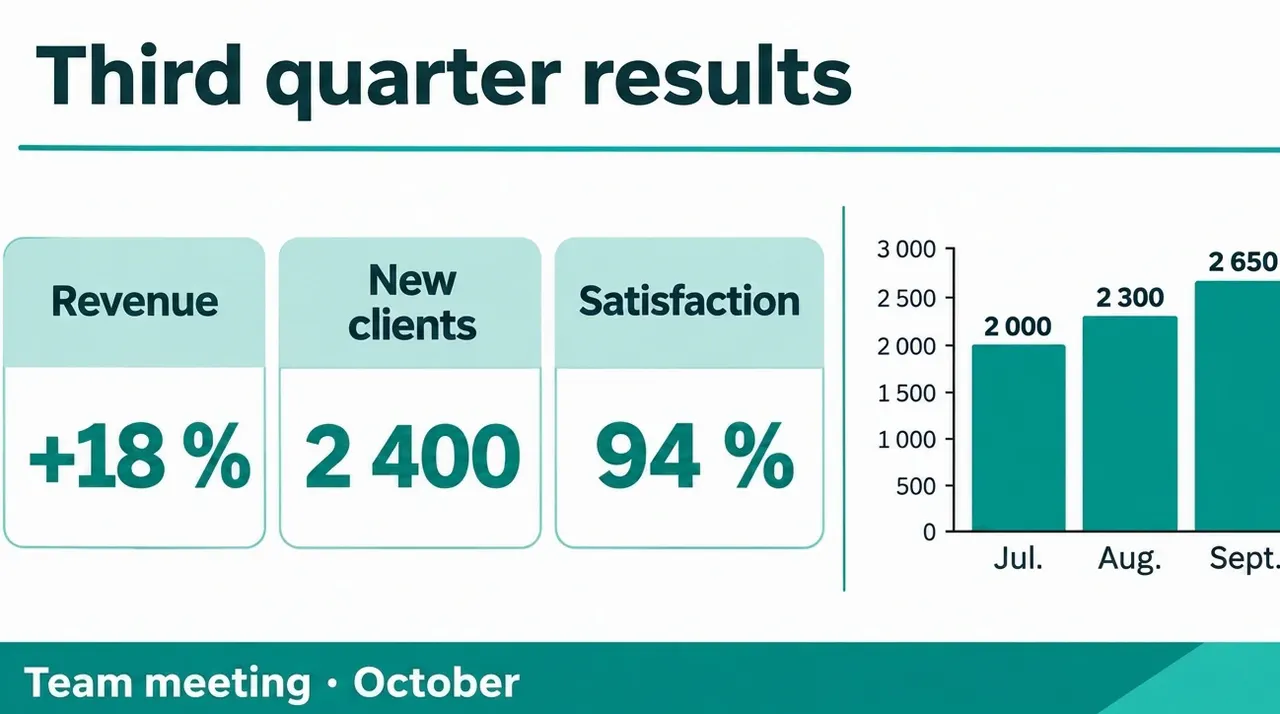
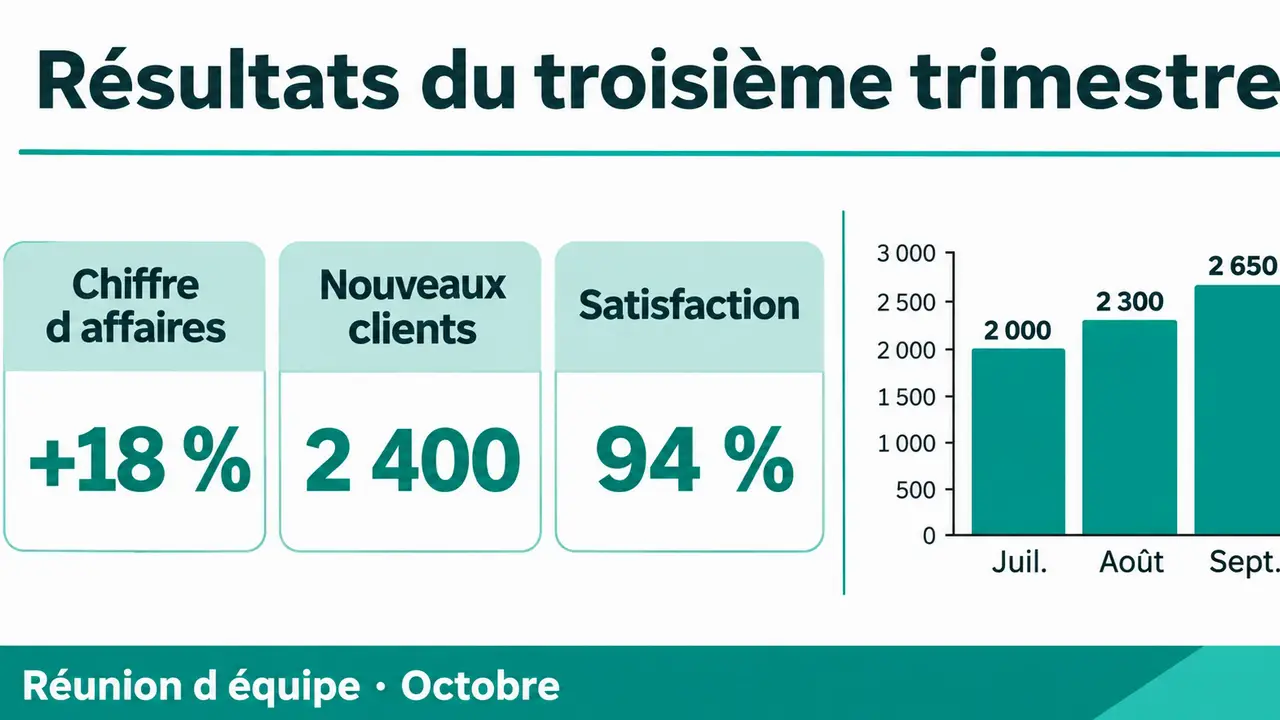
A French quarterly results slide translated into English, chart and figures kept
Instruction
Translate every piece of text that is not already in English in this image into English. Keep the exact same layout, font style, size, colour, positions and background; change only the words. Keep the picture, people, objects, logos and numbers as they are, at the same size and position. Do not crop, zoom, add borders, captions or watermarks.
 OriginalTranslated
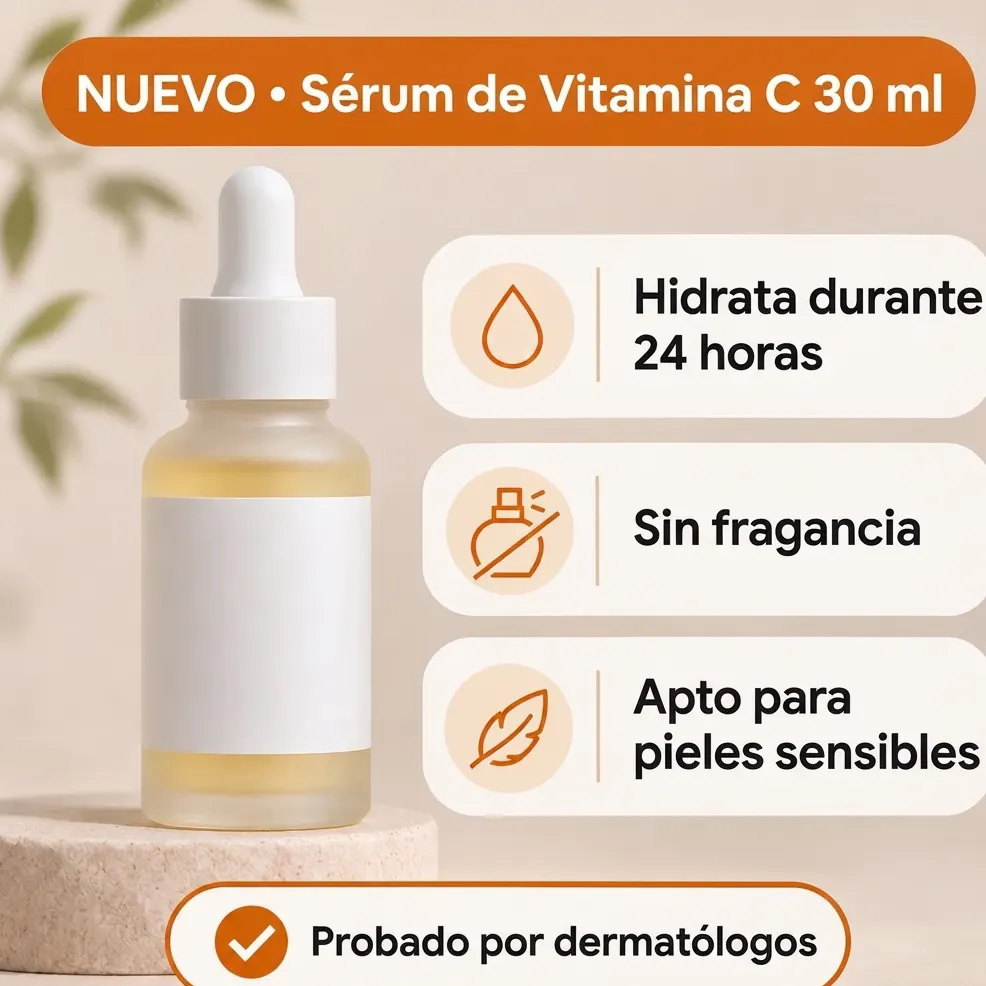
An English skincare product image with feature callouts translated into Spanish
Instruction
Translate every piece of text that is not already in Spanish in this image into Spanish. Keep the exact same layout, font style, size, colour, positions and background; change only the words. Keep the picture, people, objects, logos and numbers as they are, at the same size and position. Do not crop, zoom, add borders, captions or watermarks.
Text panel
Every line, next to its translation
Tick the text panel and every line of the image is read for you: the original on top, the translation below, ready to copy or download as TXT. 11 credits per image.
- · Check prices, allergens and opening hours before you order or go.
- · Paste the lines into a document, a chat or your design file.
- · Text only mode gives you just the panel, without a new image.
Text paneljaen
- らーめん 麺屋 こはるRamen Menya Koharu
- 醤油らーめん ¥900Soy Sauce Ramen ¥900
- 味噌らーめん ¥950Miso Ramen ¥950
- 塩らーめん ¥900Salt Ramen ¥900
- つけ麺 ¥1,000Tsukemen ¥1,000
- 餃子(6個) ¥450Gyoza (6 pieces) ¥450
- ライス ¥150Rice ¥150
- 大盛り無料Free Large Portion
Where it helps
Menus, screenshots and everything in between
Each page opens the translator on the right languages and shows real runs for that kind of image.
How it works
How to translate text in an image
Three steps, one image or ten.
- 1
Upload your images
Drop, paste or choose up to 10 JPG, PNG or WebP files. They stay private to your account.
- 2
Pick the languages
Leave the source on Detect language or pick it, choose one of 24 target languages, then a model and size. The credit price shows before you start.
- 3
Compare and download
Drag the slider over each result, copy the text panel if you added one, and download the translated image.
Models
Which model translates your image
You choose the model. Credits per image are fixed by model and size; the text panel is a fixed add-on.
| Model | Good for | 1K | 2K | 4K |
|---|---|---|---|---|
| Nano Banana 2.1 | Everyday images: menus, signs, screenshots | 16 | 23 | 34 |
| GPT Image 2 | Posters, ads and dense lettering | 23 | 38 | 61 |
| Gemini 3 Flash | Text panel: every line and its translation | 11 | ||
2K and 4K need a plan or a credit pack (4K with Polyglot, Rosetta and the team plans). Credits are only kept for translations that finish.
Pricing
Plans for one traveller or a whole localisation team
Three personal plans, two team plans with seats, and credit packs for occasional use. New accounts get 27 free credits once: one translated 1K image with its text panel.
Cancel anytime · Refund window of 14 days
Polyglot
Recommended3,290 credits a month, about 205 translated images at 1K
$19.50/month
Billed monthly, cancel anytime
3,290credits a month
- ≈ 205 Nano Banana 2.1 images at 1K
- ≈ 143 GPT Image 2 images at 1K
- or ≈ 299 text-only reads
- Six images translating at a time
- Up to 4K output
- API keys and MCP from scripts
Billed per seat, from 3 seats. Every seat adds credits to one shared pool, and members join by invite link.
Interpreter
Recommended2,800 credits a month per seat, in one shared pool
$17.80per seat a month
Billed monthly, cancel anytime3 seats: $53.40 in total
2,800credits a month per seat
- ≈ 175 Nano Banana 2.1 images at 1K
- ≈ 121 GPT Image 2 images at 1K
- or ≈ 254 text-only reads
- One shared credit pool for the team
- Six images translating at a time
- Up to 4K output
- API keys and MCP from scripts
- A credit cap you set per member
Polyglot
Recommended3,290 credits a month, about 205 translated images at 1K
$19.50$16.25/month
$195.00 billed once a year · or $19.50 billed monthly
3,290credits a month
- ≈ 205 Nano Banana 2.1 images at 1K
- ≈ 143 GPT Image 2 images at 1K
- or ≈ 299 text-only reads
- Six images translating at a time
- Up to 4K output
- API keys and MCP from scripts
- 39,480 credits a year, 3,290 added each month
Billed per seat, from 3 seats. Every seat adds credits to one shared pool, and members join by invite link.
Interpreter
Recommended2,800 credits a month per seat, in one shared pool
$17.80$14.83per seat a month
$178.00 per seat a year · or $17.80 per seat billed monthly3 seats: $534.00 in total
2,800credits a month per seat
- ≈ 175 Nano Banana 2.1 images at 1K
- ≈ 121 GPT Image 2 images at 1K
- or ≈ 254 text-only reads
- One shared credit pool for the team
- Six images translating at a time
- Up to 4K output
- API keys and MCP from scripts
- A credit cap you set per member
Compass
A big stock of credits, no subscription
4,710credits
$36.10one-time
Credits never expire. Unlocks 2K output.
- ≈ 294 Nano Banana 2.1 images at 1K
- ≈ 204 GPT Image 2 images at 1K
- or ≈ 428 text-only reads
Compare plan benefits · 3 features
Lingo
Two images translating at a time · Up to 2K output
Polyglot
Six images translating at a time · Up to 4K output · API keys and MCP from scripts
Rosetta
Six images translating at a time · Up to 4K output · API keys and MCP from scripts
Free: 27 credits once, added when you confirm your email, no card needed. That is one translated 1K image with its text panel. One grant per mailbox. They never expire.
Refunds within 5 days (monthly), 14 days (yearly) or 10 days (credit packs) if no more than 10% of the credits were used; the unused part comes back pro rata.
Questions about translating images
What is Translate Image?
Translate Image is an image translator that runs in the browser. You upload a picture with text in it, such as a menu, sign, screenshot or poster, pick a target language, and get the same picture back with the words translated in place. Layout, fonts, colours and the picture itself stay as they were.
Is it free to try?
New accounts get 27 credits once, added when the email address is confirmed; that covers one translated 1K image with its text panel (27 credits). Each mailbox gets the grant once, and sign-ups from VPN, proxy or hosting networks start without it.
Which AI models does it use?
Translated images are made with Nano Banana 2.1, Google's image model, or GPT Image 2, OpenAI's image model; you pick one in the translator. The text panel is read by Gemini 3 Flash, Google's vision model.
Which languages can it translate?
24 target languages, including English, Spanish, French, German, Portuguese, Italian, Simplified and Traditional Chinese, Japanese, Korean, Russian, Arabic, Hindi, Indonesian, Vietnamese, Thai and Turkish. The source language is detected automatically, or you can pick it.
Does it change the rest of my image?
It is told to change only the words. The model redraws the image, so small details can shift, especially fine print and busy backgrounds; compare with the slider before you use a result, and run it again or switch model if a line comes out wrong. The text panel lets you check every line.
How large are the results?
1K on the long side without a plan, 2K with any plan or credit pack, and 4K with Polyglot, Rosetta and the team plans. The result keeps the shape of your image.
Who can see my images and results?
Only you; on a team plan the owner sees usage, not your images. There is no public gallery. Each image goes only to the AI service that runs the translation, and any note you type is checked by an automated safety screen first.
What happens if a translation fails?
Credits are taken when a translation starts. If it errors or times out, they go back to your balance automatically and the job is marked as failed in My translations.
Can I use the results commercially?
Yes, on any plan, as long as you hold the rights to the image you uploaded and the use follows the Terms and the Acceptable Use Policy.
What will it refuse to do?
Translate Image translates the text that is already in your image. Notes asking for watermark or logo removal, face swaps or forged documents are declined before any credits are spent, and the Acceptable Use Policy lists the rules in full.
Is this the official Google or OpenAI website?
No. Translate Image is an independent service, not affiliated with Google or OpenAI. It runs Nano Banana 2.1, GPT Image 2 and Gemini 3 Flash for you and charges in its own credits. Nano Banana, Gemini and GPT Image are trademarks of their respective owners.
Updated
Translation notes
Practical write-ups on translating menus, screenshots and graphics without losing the design.
How to Translate Text in an Image (and Keep the Design)
A step-by-step guide to in-place image translation: how it works, how to prepare the picture, and when to use the text panel instead of a translated image.
How to Translate a Menu Abroad from a Photo
Photograph and translate restaurant menus while travelling: beating glare and angles, handling dense menus, and checking dishes and prices in the text panel.
How to Localise Social Graphics, Posters and Product Images
Localise posters, social posts and product images for a new market while keeping the design: preparing files, writing notes, choosing a model and a size.
Got an image you cannot read?
Upload it, pick a language, and compare the result.